Aiarty Image Enhancer: Is it for you?
The rapid growth of AI-powered image editing has introduced a steady stream of new tools designed to automate complex editing tasks. One of the latest entries is Aiarty, software specifically built for image upscaling, denoising, and artifact removal. In this article, we take an objective look at Aiarty's capabilities, evaluating how its features perform in real-world creative workflows and where it fits into the current digital photography landscape.
I am occasionally approached by companies to review photography software, so just to be open, Aiarty provided me their software for free. Take that with the requisite grain of salt.
AIArty was not a company that I was aware of before. They have three pieces of software; Aiarty Image Enhancer, Aiarty Image Matting, and Aiarty Video Enhancer. I am only looking at the Image Enhancer software today.
Aiarty is quite a bit different than using Lightroom or Luminar Neo, it is not a full image editing software, though it does have a few of those tools available. It is really focused on upscaling, denoising, and article removal. When you open Aiarty you are presented with a similar look to other image editors except that you can see two images, on the left your original image and on the right your new version. Once you select the image, it will instantly get underway on upscaling the photo. I have an older computer so this work takes a little bit of time. I would suggest that if you are looking for software like this for your work flow, you should ensure that you have a good graphics card in addition to having a pretty speedy CPU and RAM.
Portrait Enhancement and Upscaling
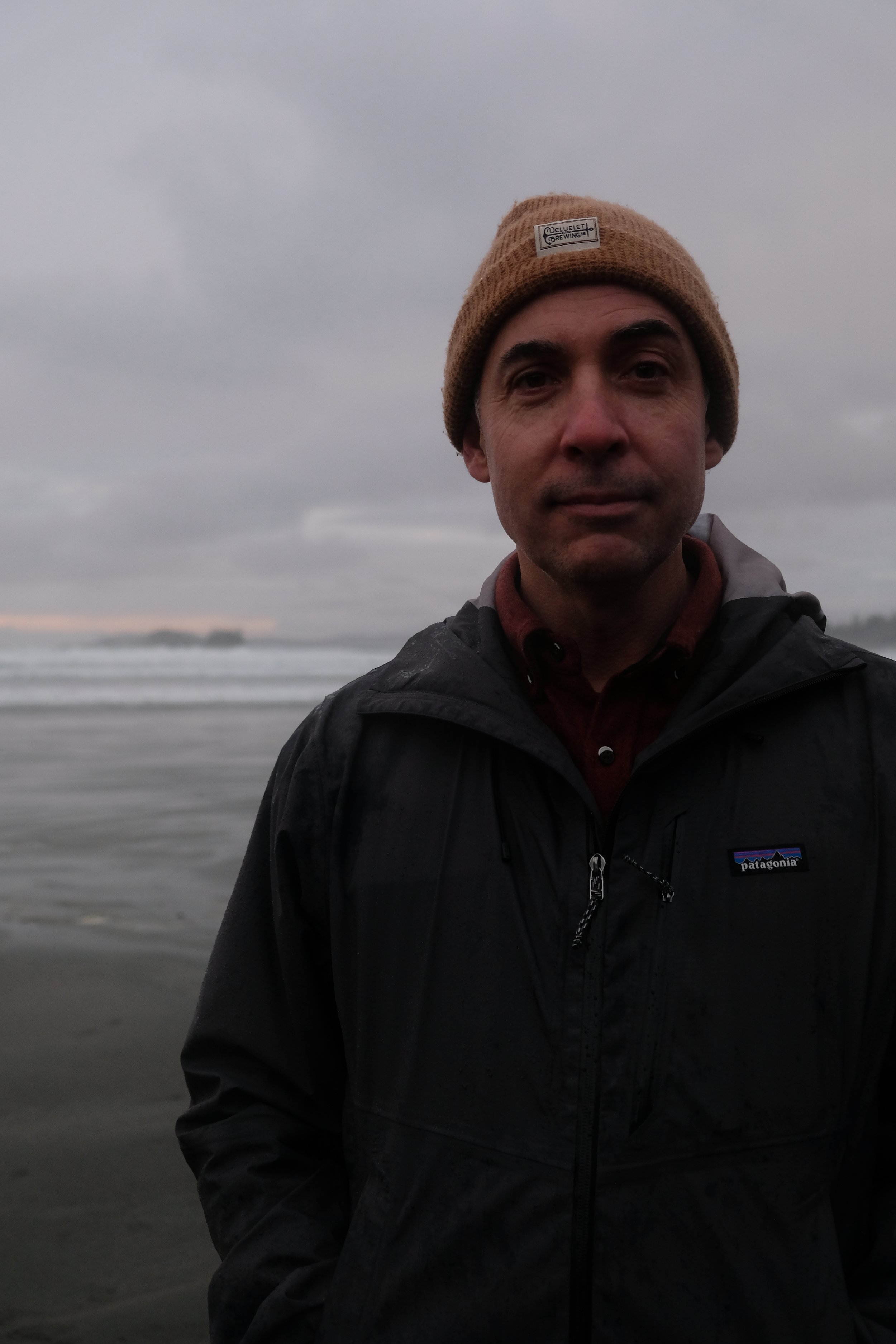
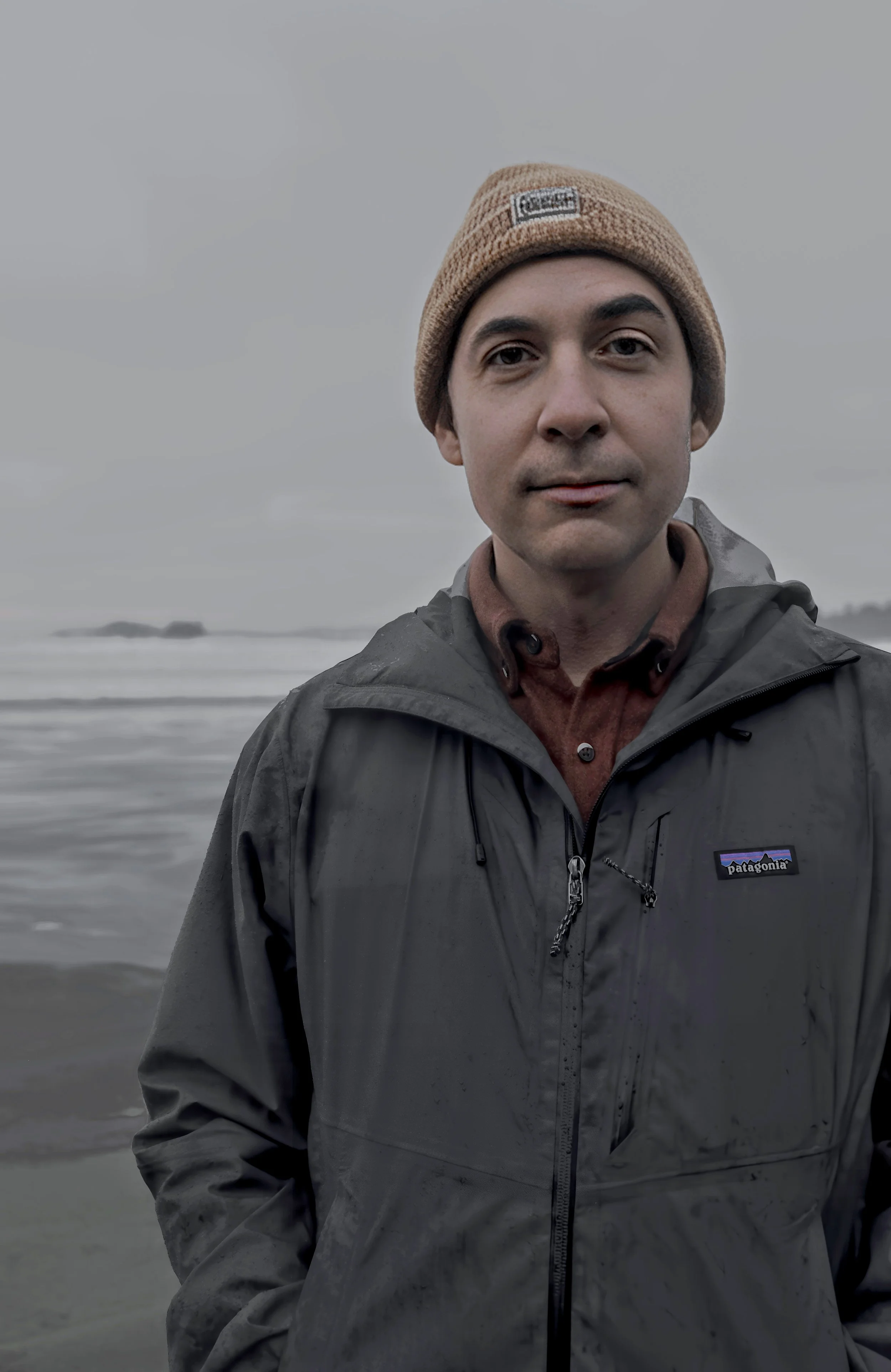
Once the image is upscaled to the level you have set it to. It can upscale up to 8x the original image though it of course depends on the resolution your original image. So if you have some older photos and really need them made higher resolution for printing, this may be a good option for you. If you upload a portrait image, it will also immediately apply certain denoise and enhancements to the photo. You can set these auto-enhancements on the right side of the screen. I could see that if you had some older family photos that you were wanting to print for hanging that this could be a beneficial tool. Just be careful of the denoise, it does a great job of getting rid of those wrinkles though that always for me gives a little bit of an uncanny valley look to them. Also again for me, if I have wrinkles (which I do), I think I need to own them. Below is a photo of me with a before and after from the software so you can see what it does with a quick 2x upscale.
While I would never do this for myself, I appreciate how subtle the changes are so that you need to scroll in a bit to see the difference.
Removal Tool
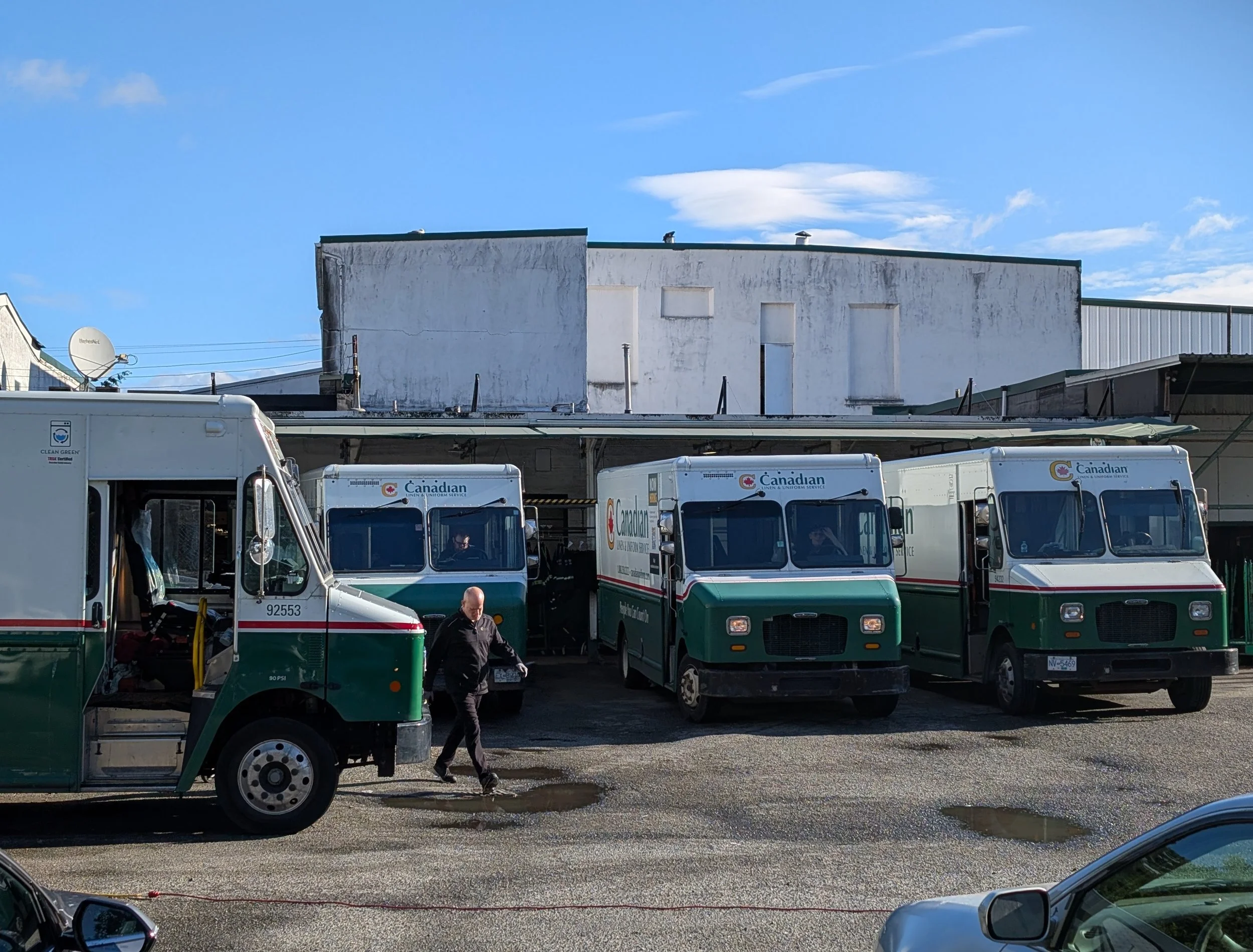
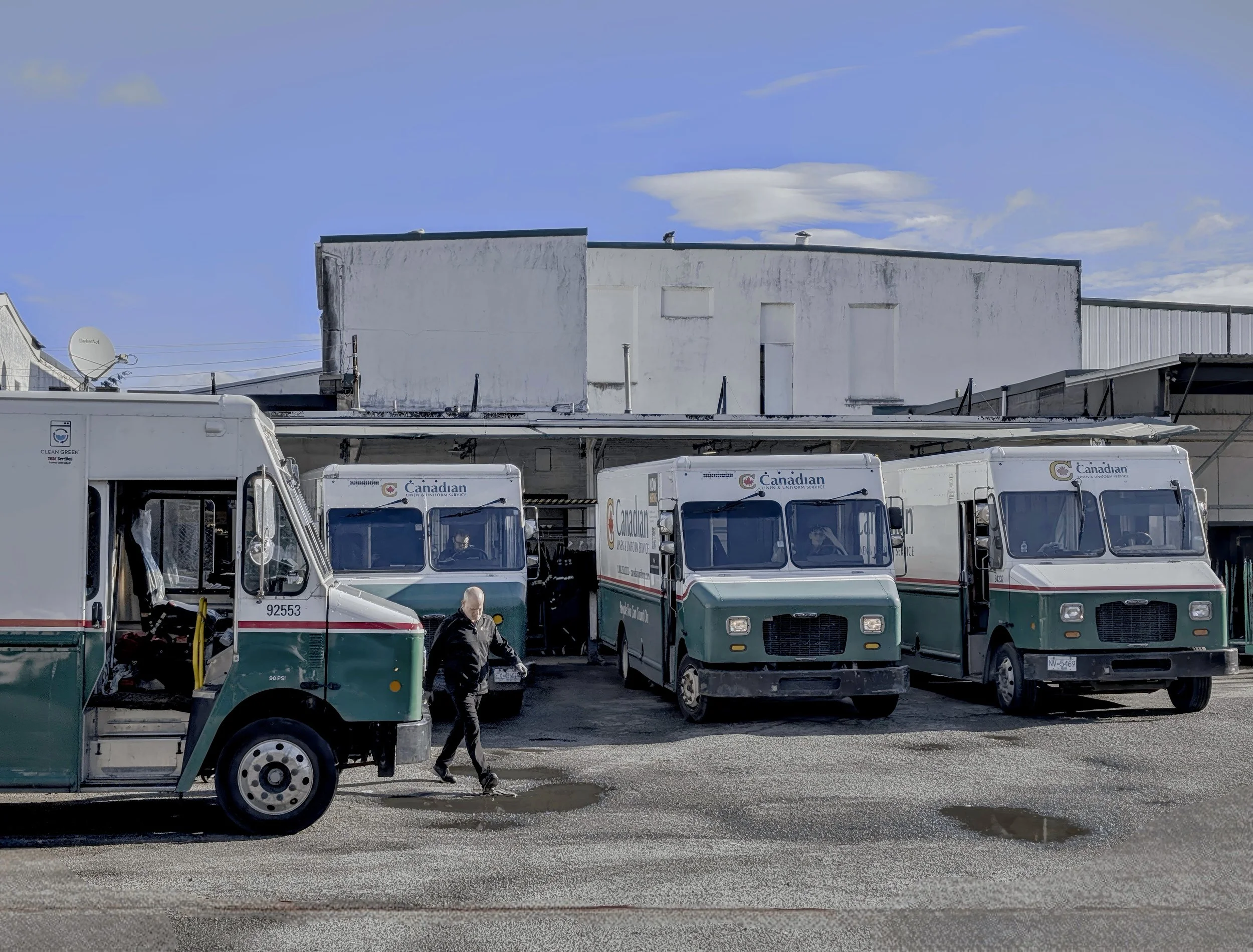
The software also has a removal tool if you need to take some bits out of an image. Again, I try to do my compositions in the moment and take out anything I don’t want while I do it, but if you see certain parts of an image that just don’t belong in a favourite image from a family vacation (your finger or a piece of a shoe at the frame edge) this provides a quick ability to take it out. This image was both upscaled and had the vehicles removed at the bottom. I also shifted the colours a bit. I would say that the software did a decent job of removing the vehicles, though I did have to do a second pass on one spot and the wire lying on the ground looks a little odd now.
Restoring Old Photos
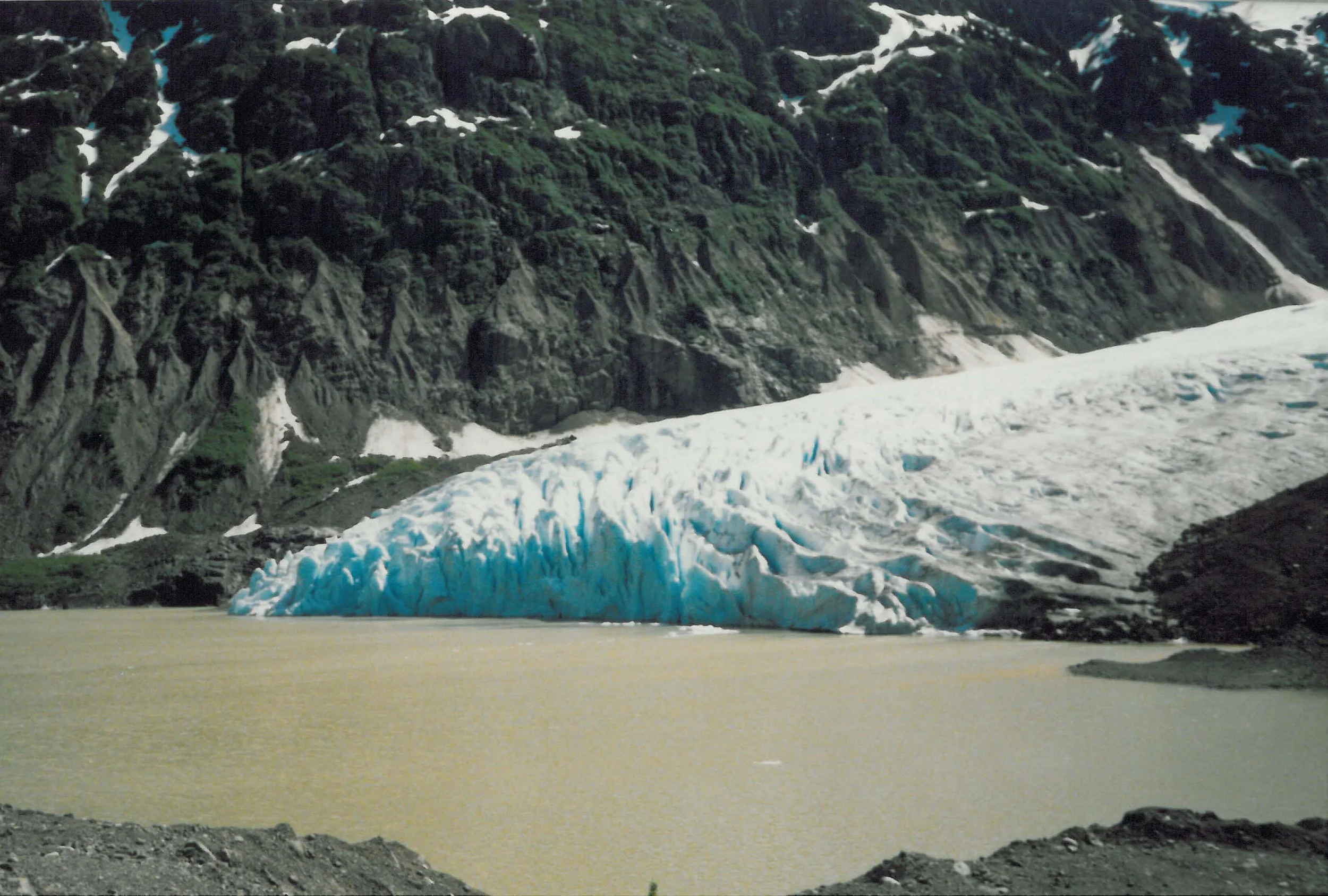
I have said before that I started taking photos at a young age and due to the time, it was all done on film. I can’t say that the composition of the photo that I chose is amazing, but it does show what is possible with Aiarty when it comes to upscaling old photos. Again this is not something that would choose to do, but I know that many people are doing this with their old family photos. This photo is of the glacier outside of Stewart BC from when I was a kid. I am sure it doesn’t look like this anymore. In this photo I upscaled it 2x and lifted the DPI to 300. It definitely looks more crisp than the old image and I imagine it would be able to work on a similar level with portraits.

As I said at the beginning, I am using an older laptop than is likely best for this type of work and so I was somewhat limited on the ability to upscale more than double an image. I am hoping to get a new laptop in the next few months and will definitely give Aiarty another go at that time. If you like what you saw, you can download a copy from here. And it is not an affiliate link so I am not making money off of it, but they have offered a significant discount to you if you want to save some money on the software.
If you have tried Aiarty before, I would love to hear your thoughts.